
Stories by Pixlr: Photo Layout1.3.1 - App Store
You'll be able to see results in few seconds.
Publisher Description
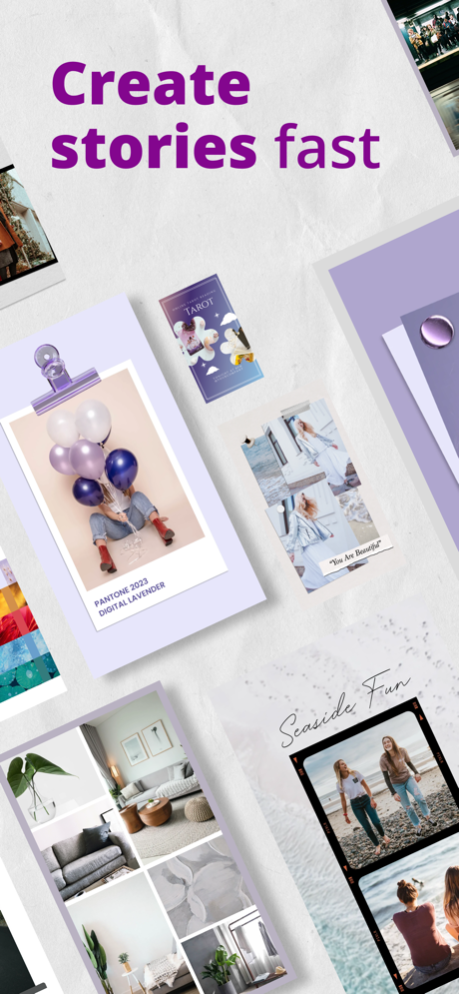


Elevate your social media presence with templates, layouts and text elements from Stories by Pixlr!
Upgrade your social media presence with Stories by Pixlr. Create amazing stories with just one tap using Easy Edit & design everything you need for Facebook, Instagram, Twitter and more.
Discover a huge library of templates, stickers and text elements that make crafting stylish, eye-catching stories a breeze. Social media trends can change in the blink of an eye, and keeping up can be difficult. Stories by Pixlr makes it easy with new templates, animated stories and creative elements released every month.
Keep your stories fresh and interesting with ready-made animated stories that showcase your adventures or products. Update your friends, family or fans with customizable templates and layouts to showcase your pics with custom text and fun stickers. Let us help create your next story with AI-curated photo sets to fill templates and collages. Share your creations on Instagram, Snapchat, Facebook, Tik Tok and more with just a tap!
Text elements are more exciting than ever with a wide variety of fonts and effects available in the app! Curved text allows you to shape your caption around your photos, and text backgrounds allow them to stand out even more. Choose from hundreds of interesting and trendy fonts and bring your captions, links and other text up to the next level.
Elevate your social media presence by downloading Stories by Pixlr today!
Animated Stories
• Share ready-made animated stories
• New templates updated monthly
Templates & Layouts
• Templates let you elevate your stories
• Easily upload your own photos from your device’s gallery
• Photo filter presets match templates’ vibes
• Get AI suggestions for backgrounds, fonts, graphics & more
• Grid templates make collages easy
Photo Editing
• Remove backgrounds & crop with just a tap
• Easily crop photos with shape cutout tools
• Edit color tone, light balance & more
Creative Elements
• Huge library of animated stickers, watercolor graphics & other elements
• Browse frames to find the right one for your story
Text & Fonts
• Discover hundreds of trendy fonts
• Easily add text & captions to stories
• Expand your creativity with curved text features
• Add backgrounds to text
Get Stories by Pixlr today and let your creativity shine!
We’d love to connect with you on Instagram, Twitter, and Facebook at @pixlr
Privacy Policy: https://pixlr.com/privacy-policy
Terms of Use: https://pixlr.com/terms-of-use
Sep 4, 2022
Version 1.3.1
• Performance tweaks and UI fixes
Follow us at Tiktok @pixlrofficial | Instagram, Twitter and Facebook @pixlr
About Stories by Pixlr: Photo Layout
The company that develops Stories by Pixlr: Photo Layout is Pixlr Pte Ltd. The latest version released by its developer is 1.3.1.
To install Stories by Pixlr: Photo Layout on your iOS device, just click the green Continue To App button above to start the installation process. The app is listed on our website since 2022-09-04 and was downloaded 0 times. We have already checked if the download link is safe, however for your own protection we recommend that you scan the downloaded app with your antivirus. Your antivirus may detect the Stories by Pixlr: Photo Layout as malware if the download link is broken.
How to install Stories by Pixlr: Photo Layout on your iOS device:
- Click on the Continue To App button on our website. This will redirect you to the App Store.
- Once the Stories by Pixlr: Photo Layout is shown in the iTunes listing of your iOS device, you can start its download and installation. Tap on the GET button to the right of the app to start downloading it.
- If you are not logged-in the iOS appstore app, you'll be prompted for your your Apple ID and/or password.
- After Stories by Pixlr: Photo Layout is downloaded, you'll see an INSTALL button to the right. Tap on it to start the actual installation of the iOS app.
- Once installation is finished you can tap on the OPEN button to start it. Its icon will also be added to your device home screen.
Program Details
System requirements
Download information
Pricing
Version History
version 1.3.1
posted on 2022-09-04
Sep 4, 2022
Version 1.3.1
• Performance tweaks and UI fixes
Follow us at Tiktok @pixlrofficial | Instagram, Twitter and Facebook @pixlr
version 1.2.8
posted on 2022-07-02
Jul 2, 2022 Version 1.2.8
• Performance tweaks and UI fixes
Follow us at Tiktok @pixlrofficial | Instagram, Twitter and Facebook @pixlr
Disclaimer
Official App Store Link
We do not host Stories by Pixlr: Photo Layout on our servers. We did not scan it for viruses, adware, spyware or other type of malware. This app is hosted by Apple and passed their terms and conditions to be listed there. We recommend caution when installing it.
The App Store link for Stories by Pixlr: Photo Layout is provided to you by apps112.com without any warranties, representations or guarantees of any kind, so access it at your own risk.
If you have questions regarding this particular app contact the publisher directly. For questions about the functionalities of apps112.com contact us.
